
Summer Camp Tracker
This is a prompt tracker used for the Summer Camp event on World Anvil. This statblock was originally created by Graylion, but I have simplified it and made a few tweaks. You can check out the original statblock here .
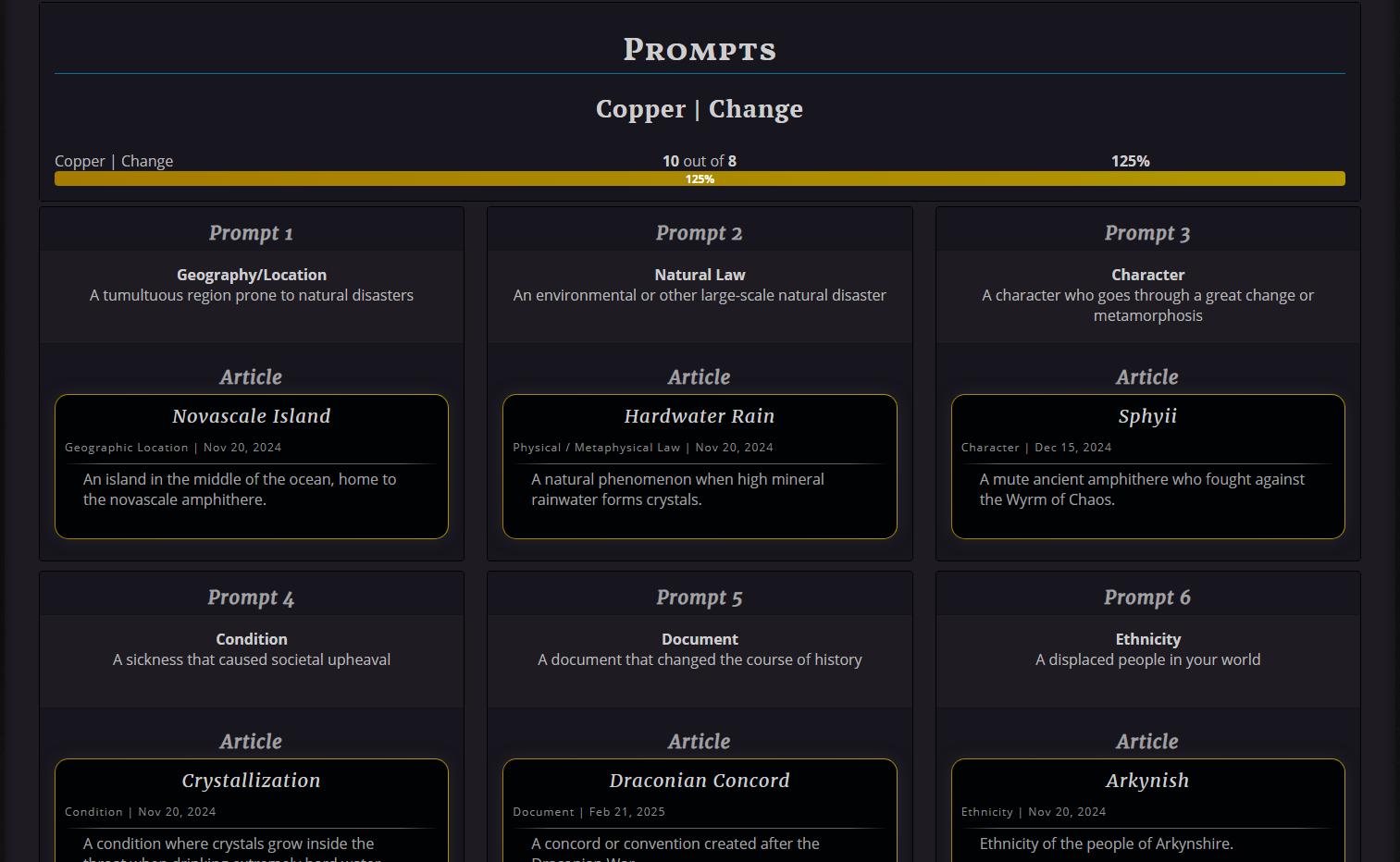
This tracker will display the waves, prompts, and articles you create. It also shows a progress bar for each wave and the total number of prompts for your goal.
Now you've got a copy of the template in your world's statblocks! This default template is set up for Summer Camp, so it already has 4 waves with 8 prompts and 2 wild cards. You'll have to change each Theme's name and write down each prompt when they are revealed.
 Full Article Block (default)
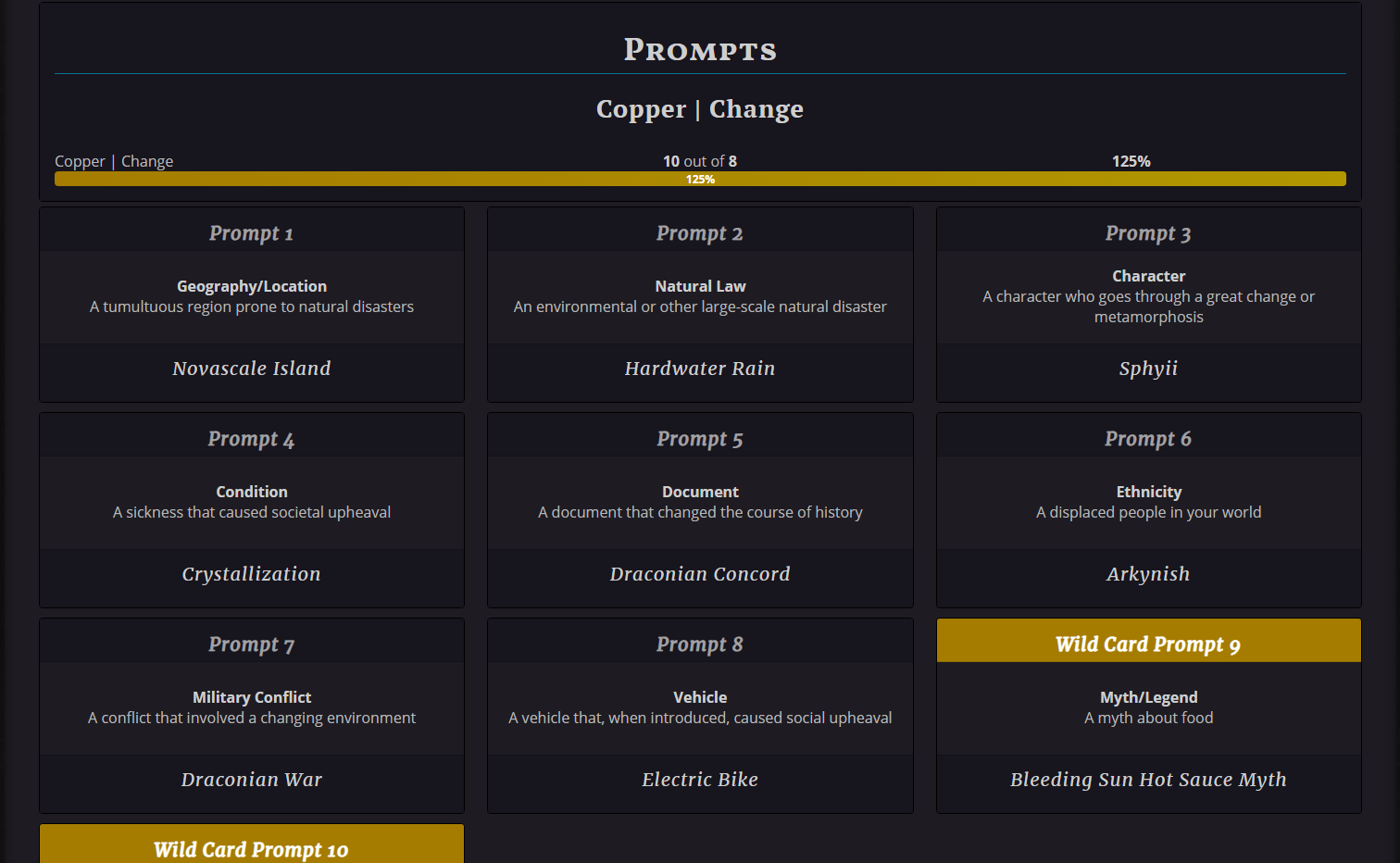 Title Only
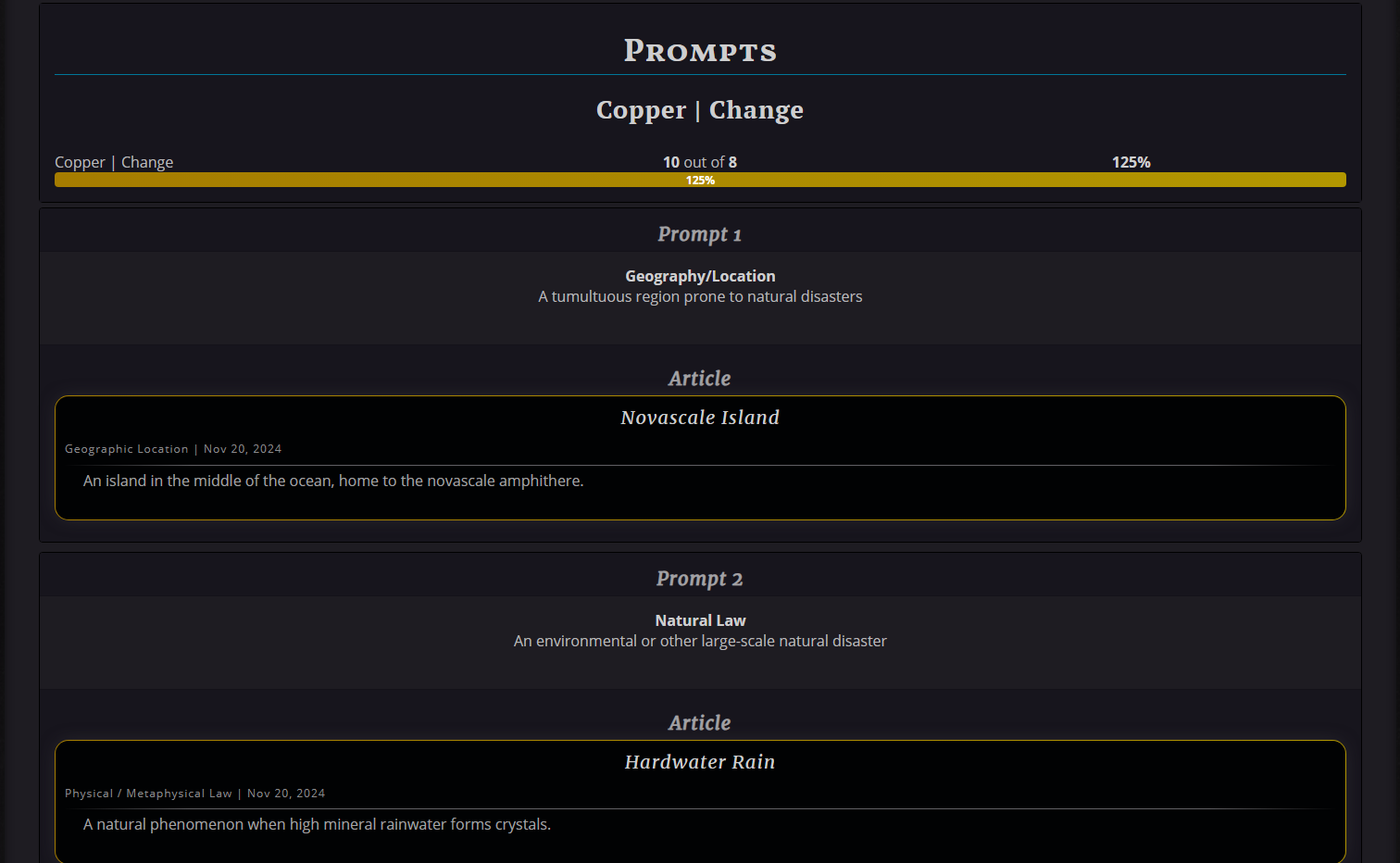 Display Column: 1
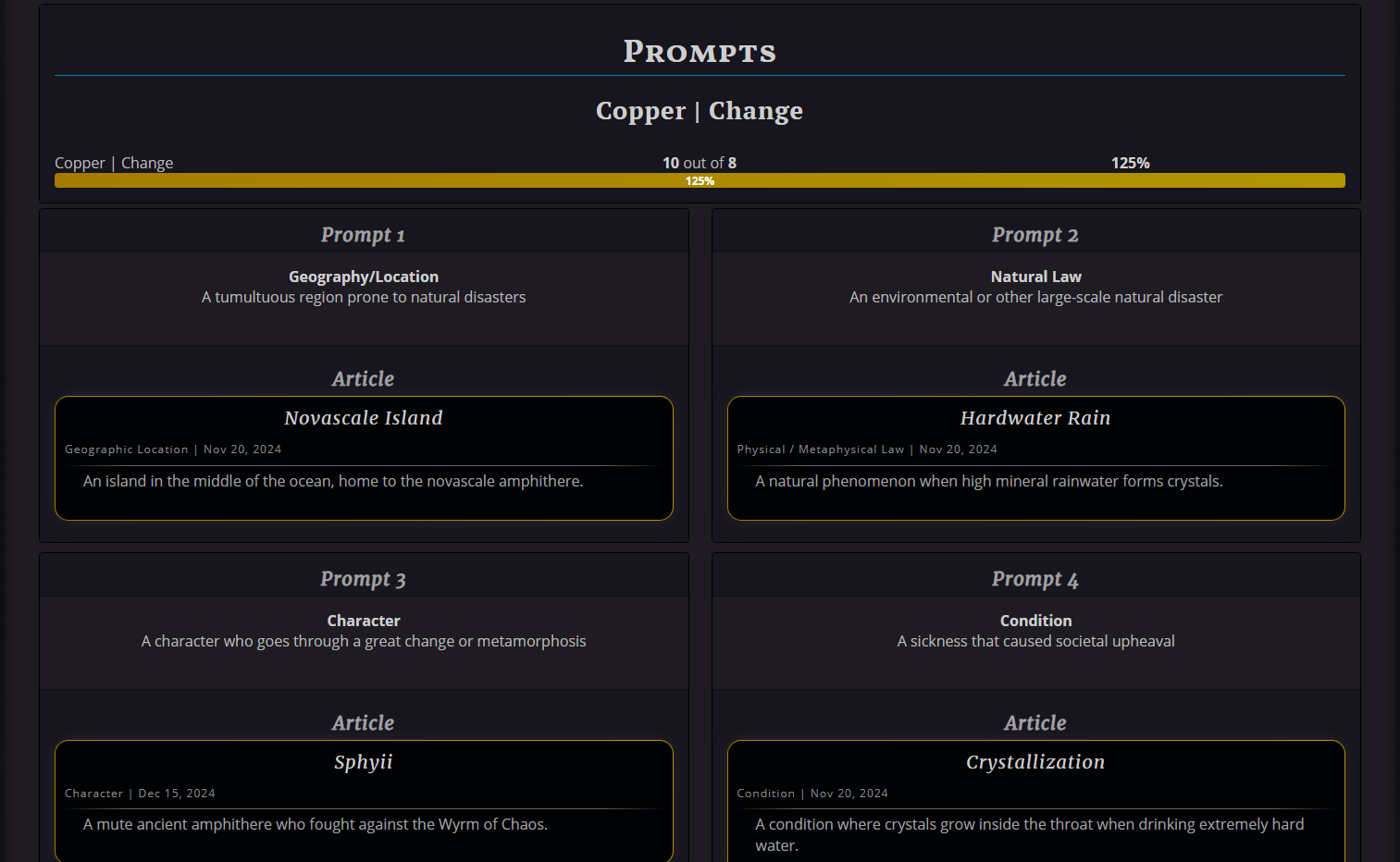 Display Column: 2
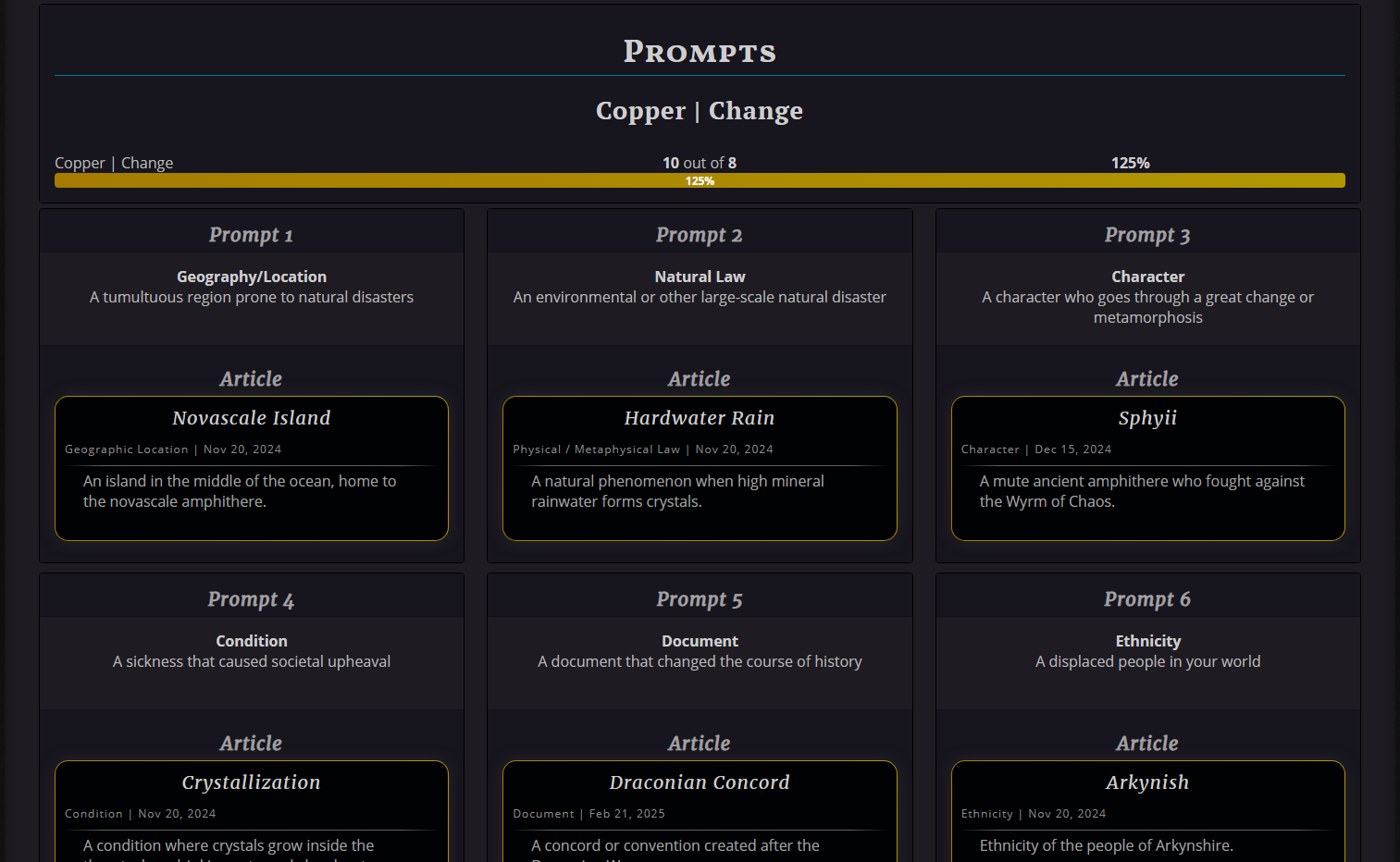 Display Column: 3 (default)
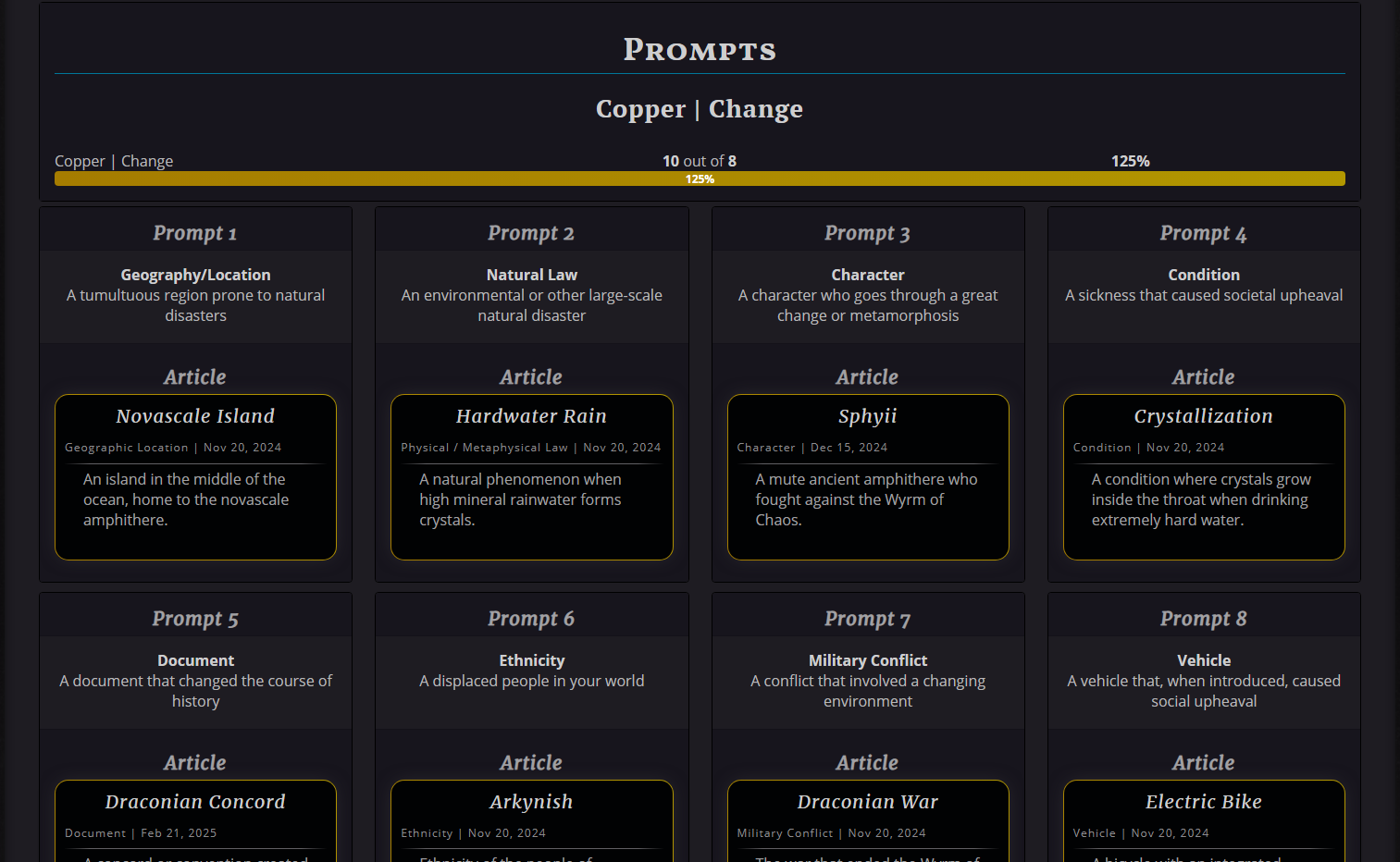 Display Column: 4
Prompt Descriptions Visible (default)
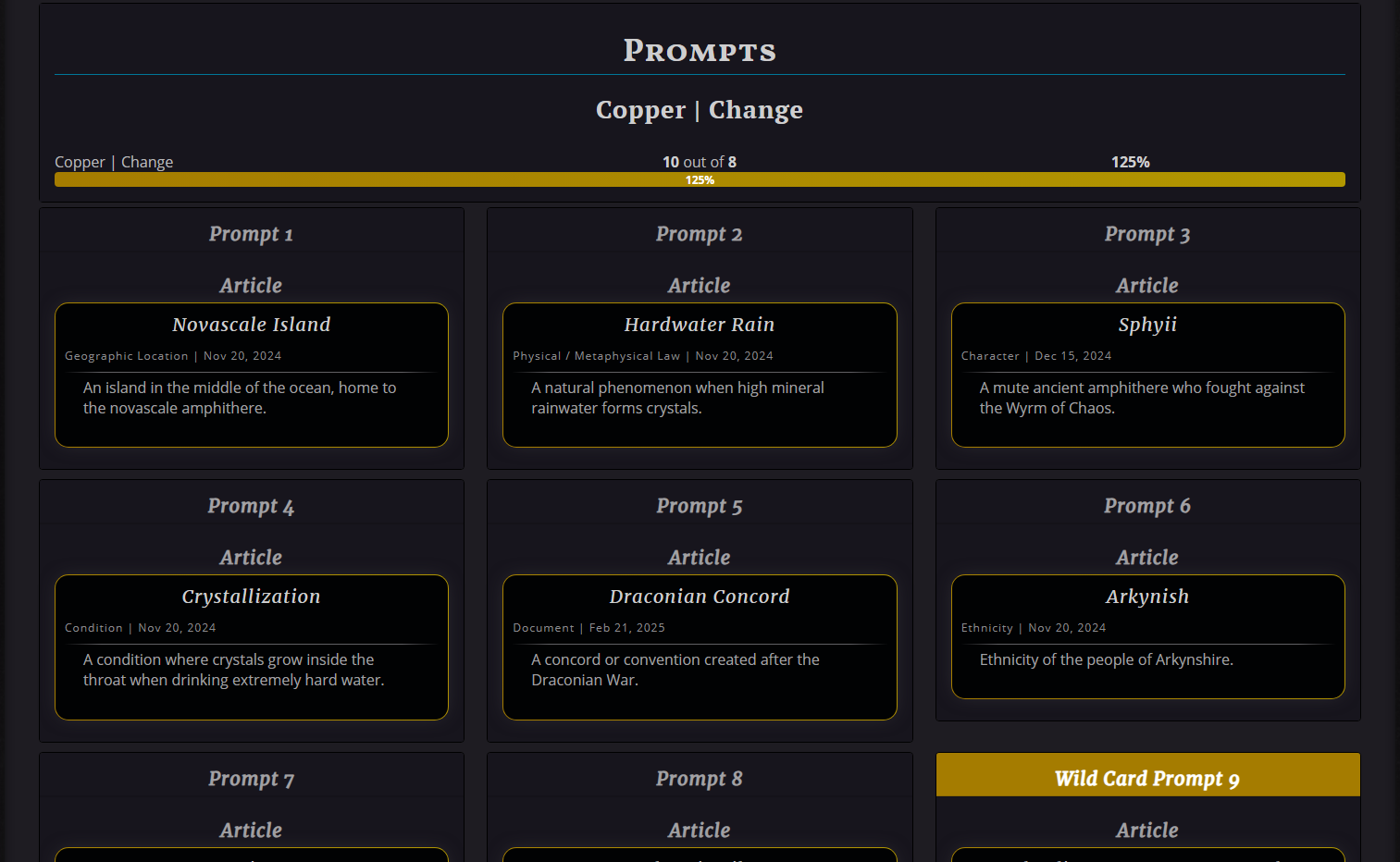 Prompt Descriptions Hidden
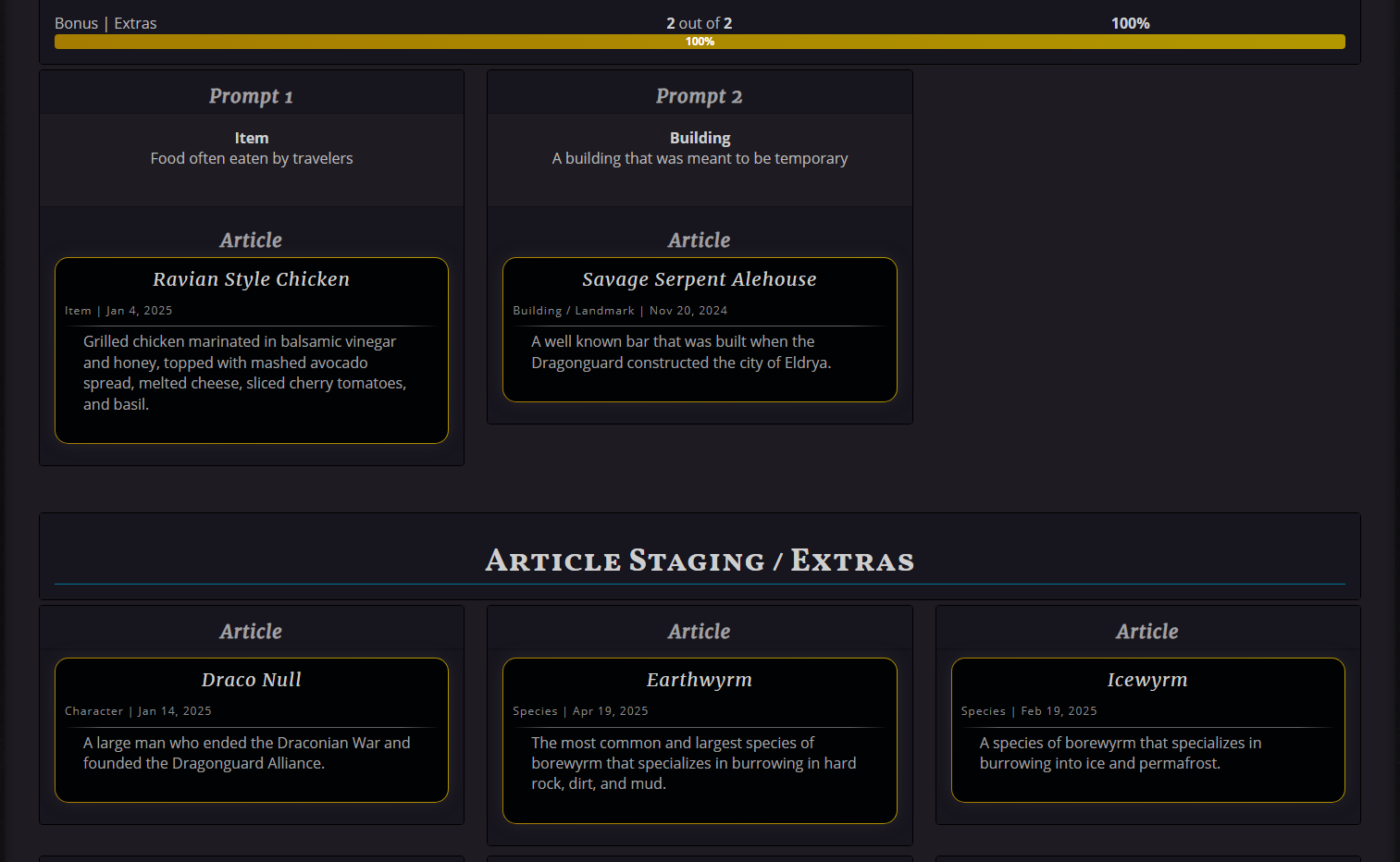 Staging/Extras Visible (default)
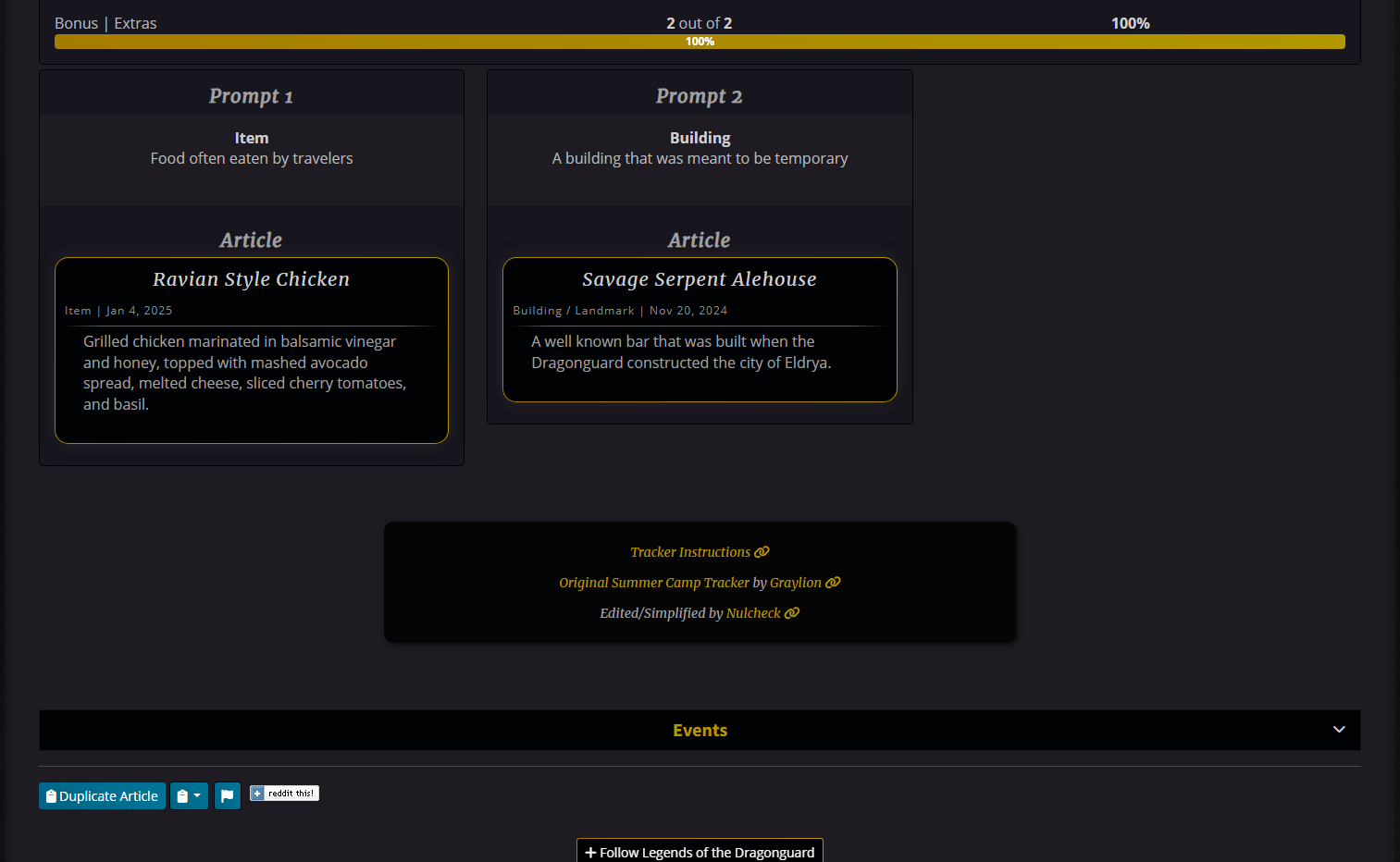 Staging/Extras Hidden
CSS
I use the same background color for the wave title box, the prompt title, and the prompt footer part, where the article block is placed. I also have a different background color for the title section on Wildcard prompts.
This will change all progress bars across your site.
Tip: Using gradients will make it look even nicer!
If you only want to change the tracker's progress bar (for whatever reason), then do this CSS:
(you could also just use the code above in the Article CSS)
This tracker will display the waves, prompts, and articles you create. It also shows a progress bar for each wave and the total number of prompts for your goal.
Getting the Statblock
First, make a copy of the template in your world. Once you've clicked the button, you can close the tab.
Copy Statblock
Now you've got a copy of the template in your world's statblocks! This default template is set up for Summer Camp, so it already has 4 waves with 8 prompts and 2 wild cards. You'll have to change each Theme's name and write down each prompt when they are revealed.
Statblock Details
Step 1
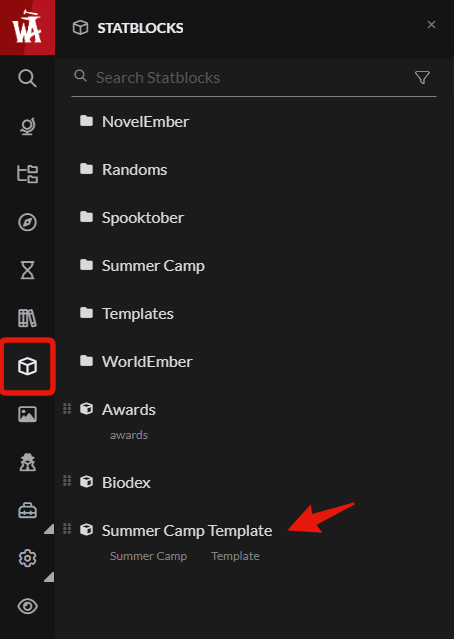
Go to your statblocks in the sidebar, and click on the newly created block.
It will be called "Summer Camp Template" and already have a few tags associated with it.
Reminder: Make sure you have RPG Features enabled under your Account Features!
It will be called "Summer Camp Template" and already have a few tags associated with it.
Reminder: Make sure you have RPG Features enabled under your Account Features!
Step 2
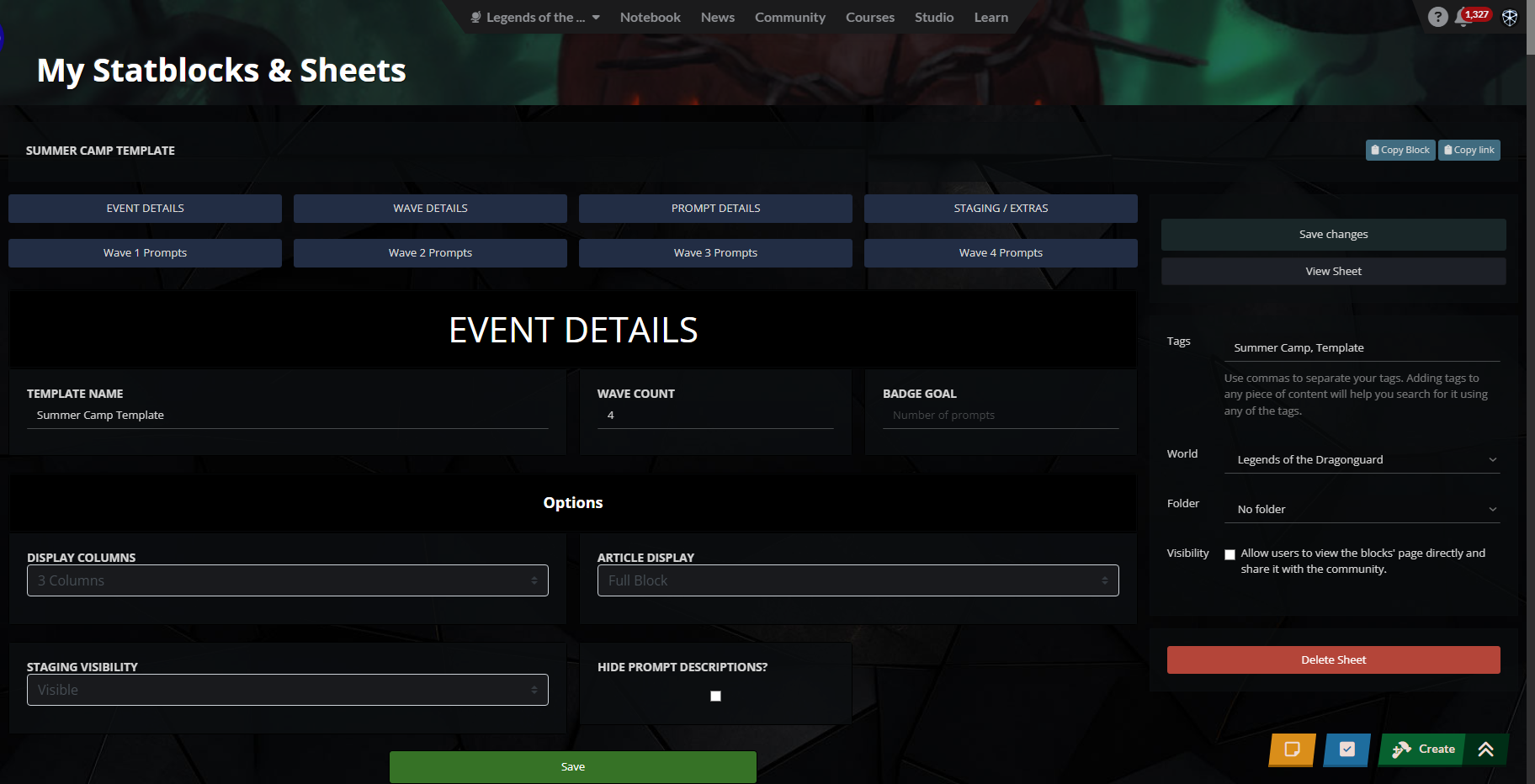
Rename the statblock and change its tags, too. The template is already set up for Summer Camp, with 4 waves, each with 8 prompts and 2 wild cards. You can also set your badge goal here, which will change the Total Articles progress bar.
If this Badge Goal field is empty or zero, it will default to 32 prompts.
If this Badge Goal field is empty or zero, it will default to 32 prompts.
Step 3
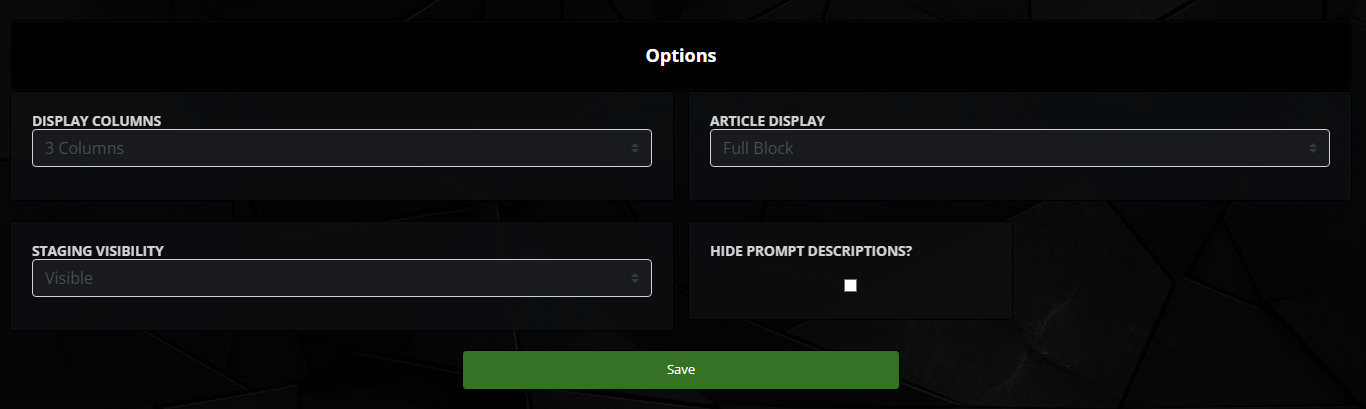
You can also choose the column display, article display, hide prompts, and the staging/extras area.
(Default is 3 columns, full article block display, visible staging/extras area, and display prompts)
The Staging/Extras section goes at the very end, and is a way to keep track of articles you wrote during Summer Camp, but not for any specific prompt. You can keep them staged and later add them to a prompt if it fits. Or, don't display the staging area at all.
Here, you can also hide the prompt descriptions. This will not display the prompts and will only show the article linked and the prompt number.
(Default is 3 columns, full article block display, visible staging/extras area, and display prompts)
The Staging/Extras section goes at the very end, and is a way to keep track of articles you wrote during Summer Camp, but not for any specific prompt. You can keep them staged and later add them to a prompt if it fits. Or, don't display the staging area at all.
Here, you can also hide the prompt descriptions. This will not display the prompts and will only show the article linked and the prompt number.
Step 4
Next, fill out the waves!
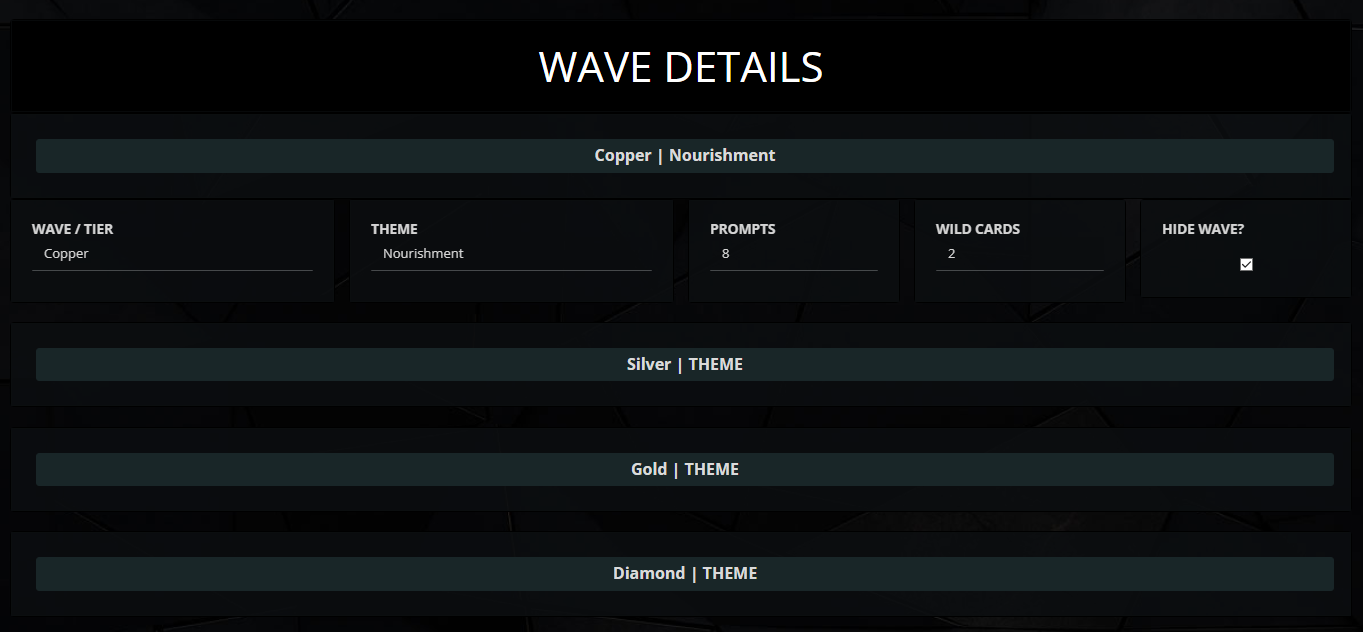
The tiers are already set up, so fill out each wave's theme. If needed, you can change the number of prompts and wildcards.
You can also choose to hide all prompts of a wave. It will still show the big wave title box and its progress bar, but it won't show any prompts. This allows you to fill out the prompts as the waves are revealed over time and not display empty waves.
The tiers are already set up, so fill out each wave's theme. If needed, you can change the number of prompts and wildcards.
You can also choose to hide all prompts of a wave. It will still show the big wave title box and its progress bar, but it won't show any prompts. This allows you to fill out the prompts as the waves are revealed over time and not display empty waves.
NOTE: Each wave is hidden by default! Uncheck the box and save to unhide a wave.
Step 5
Lastly, fill out the prompt sections!
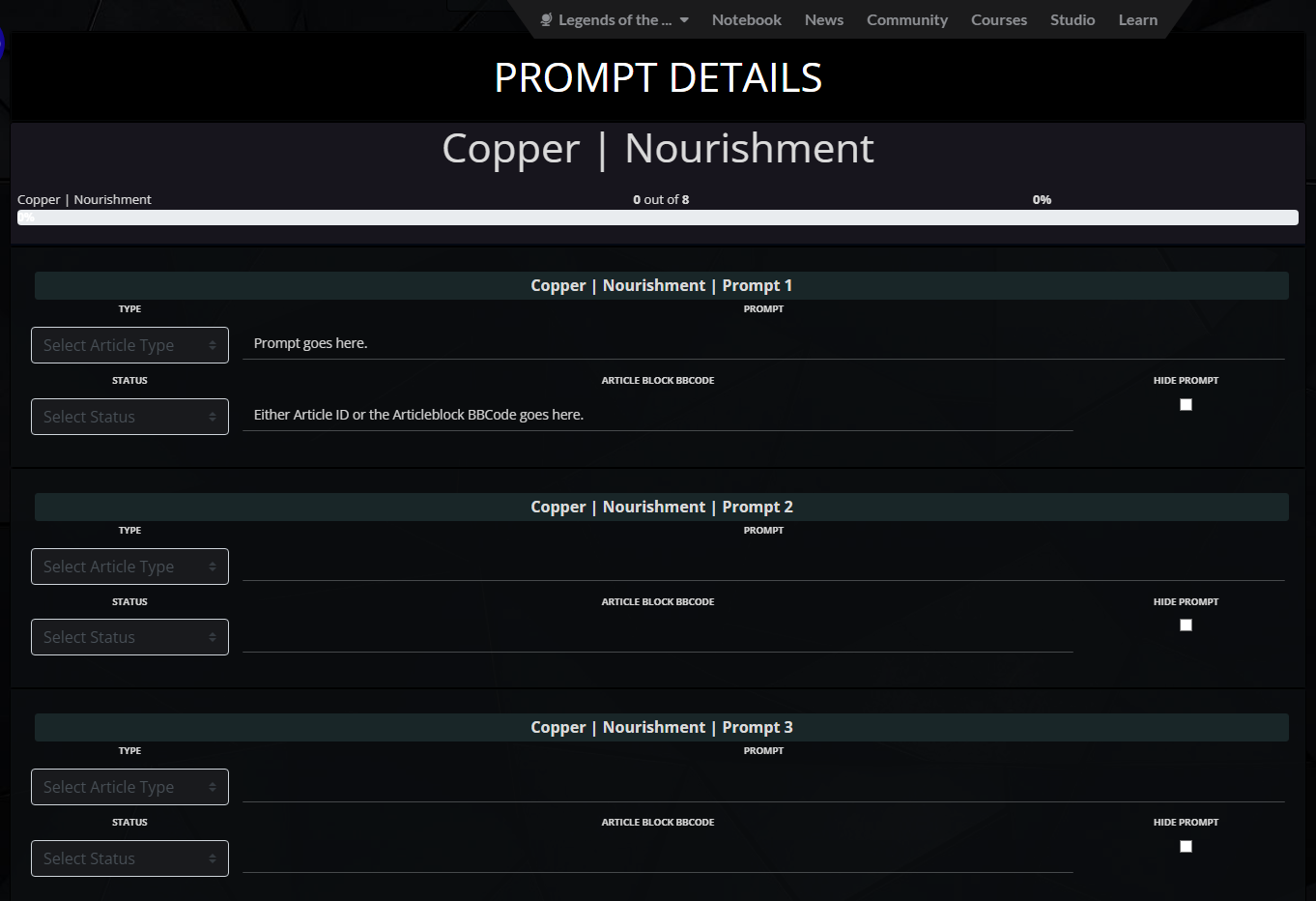
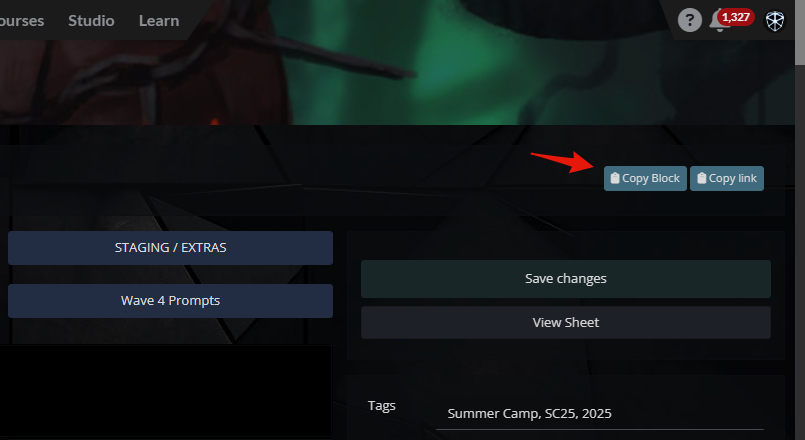
Fill out what each prompt is, then when you write for that prompt, put the article block BBCode in the Article Block BBCode field. This also works with just the Article's ID, but grabbing the BBCode is easier.
Setting the article's type will display the type on the prompt.
You can also set the article's status: whether you haven't started it yet, it's in progress, or you've completed it. This is only for internal use; this variable does not show anywhere on the embedded statblock.
You can also hide individual prompts, if you want. This will prevent the entire prompt from displaying on the embedded statblock.
Fill out what each prompt is, then when you write for that prompt, put the article block BBCode in the Article Block BBCode field. This also works with just the Article's ID, but grabbing the BBCode is easier.
Setting the article's type will display the type on the prompt.
You can also set the article's status: whether you haven't started it yet, it's in progress, or you've completed it. This is only for internal use; this variable does not show anywhere on the embedded statblock.
You can also hide individual prompts, if you want. This will prevent the entire prompt from displaying on the embedded statblock.
Step 6
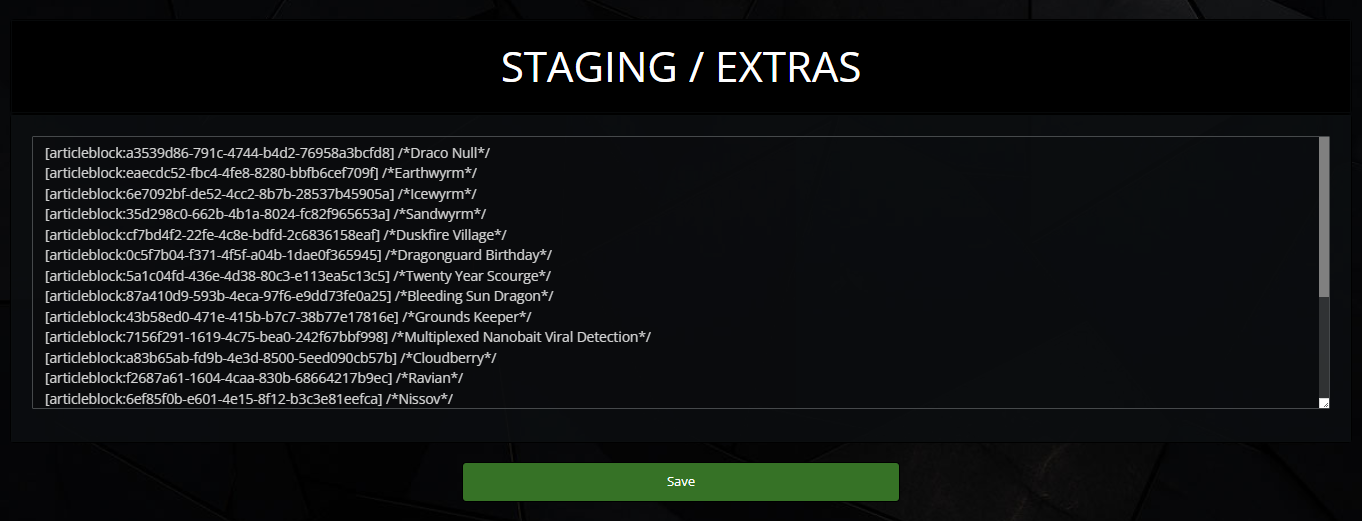
Optionally, you can fill out the Staging/Extras area. This is to place Article Blocks for later use. You can keep track of articles created during the event and later use them for a prompt!
You can completely hide this section from displaying on the embedded statblock, up at the top in Step 3.
Each new line will create a new block in the list. All you need is the Article Block BBCode! (or anything, really)
You can completely hide this section from displaying on the embedded statblock, up at the top in Step 3.
Each new line will create a new block in the list. All you need is the Article Block BBCode! (or anything, really)
Tip: You can use comment tags with the name of the article to keep track of which one it is!
Styling
Style the tracker with CSS to fit your world better!I recommend putting this code in your world's CSS and not the article CSS, especially if you plan on using the tracker multiple times / on multiple pages. Same thing goes for the progress bar styling.
CSS
.user-css .template-summer_camp_simplified-nulcheck-208 .card .card-header,
.user-css .template-summer_camp_simplified-nulcheck-208 .card .card_feet,
.user-css .template-summer_camp_simplified-nulcheck-208 .card .card_shape {
background: #HEXColor;
}


.user-css .template-summer_camp_simplified-nulcheck-208 .card .card-header.wild_card {
background: #HEXColor;
color: #HEXColor;
}
I use the same background color for the wave title box, the prompt title, and the prompt footer part, where the article block is placed. I also have a different background color for the title section on Wildcard prompts.
Progress Bar Styling
I use the default progress bar from Bootstrap in the tracker, so if you change progress bars across your whole site (like I do), they should also change for the tracker.
.user-css .progress-bar {
background: #HEXColor;
}
This will change all progress bars across your site.
Tip: Using gradients will make it look even nicer!
If you only want to change the tracker's progress bar (for whatever reason), then do this CSS:
(you could also just use the code above in the Article CSS)
.user-css .template-summer_camp_simplified-nulcheck-208 .progress-bar {
background: #HEXColor;
}
Using the Statblock
You can embed the statblock into a page for your and / or everyone else's viewing pleasure. If you use event pages in your world to track your progress for the event, this is a perfect place to put it!
View it on a live page:
View it on a live page:




Fascinating. Thanks for going into all that detail.
Explore Etrea | Summer Camp 2026
Happy to help in any way I can!
> Root Directory is my hub world <
Legends of the Dragonguard • /dev/null
Summer Camp 2026