HUD Display Overview: Attributes
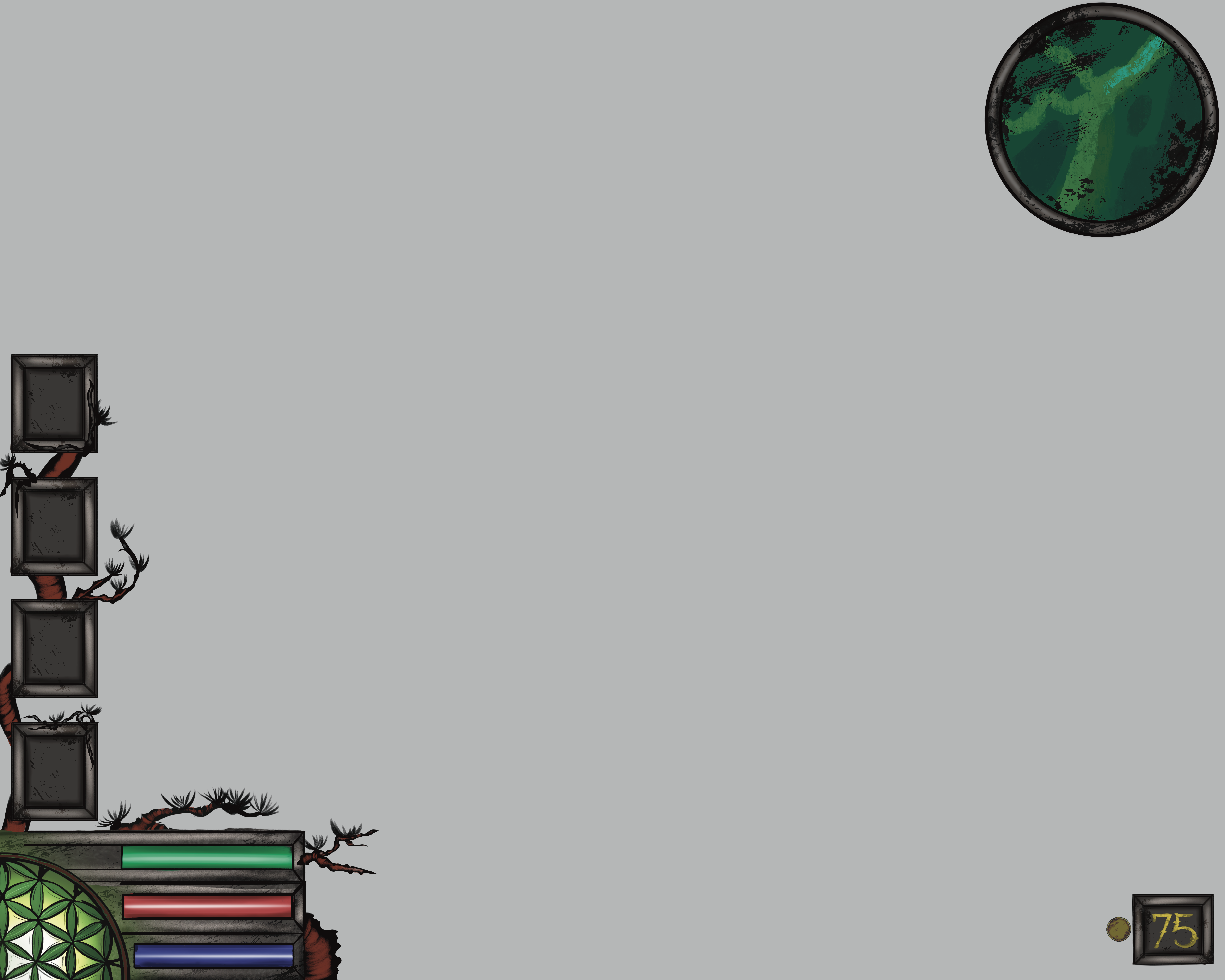
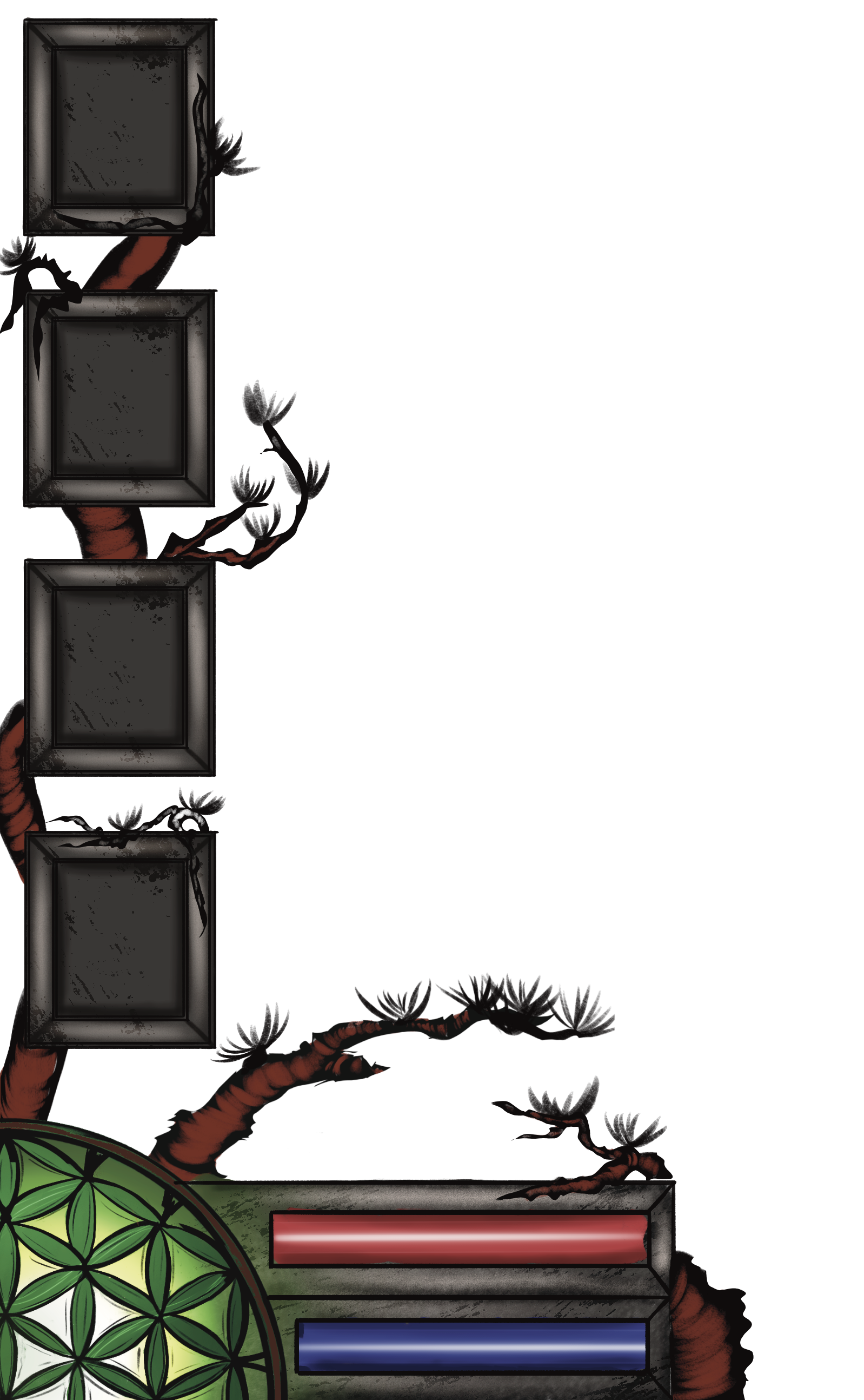
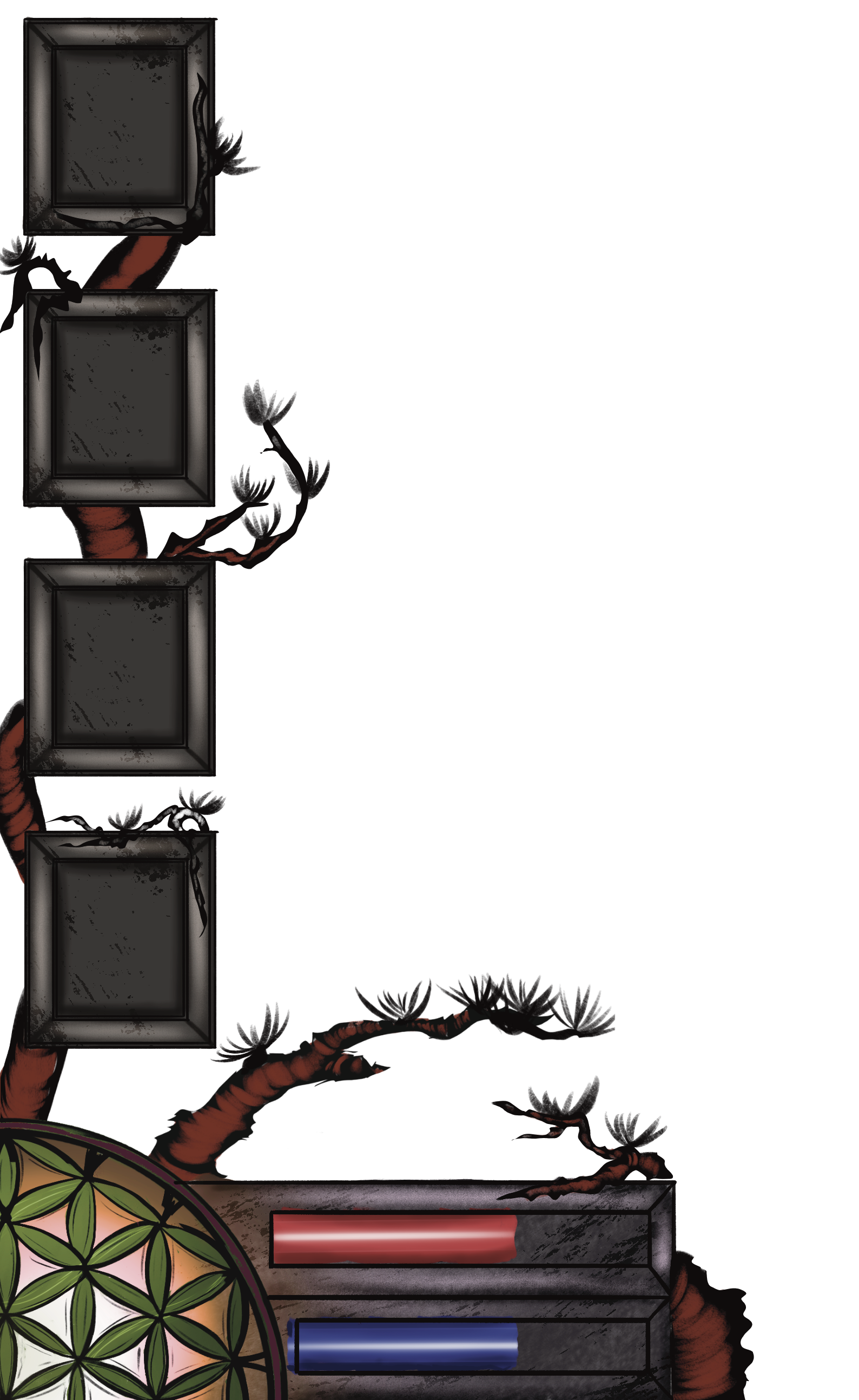
In Gambit, there are three main attributes. Each one is represented by a colored bar that is displayed at the bottom left of the heads-up-display (HUD).
HP Gauge
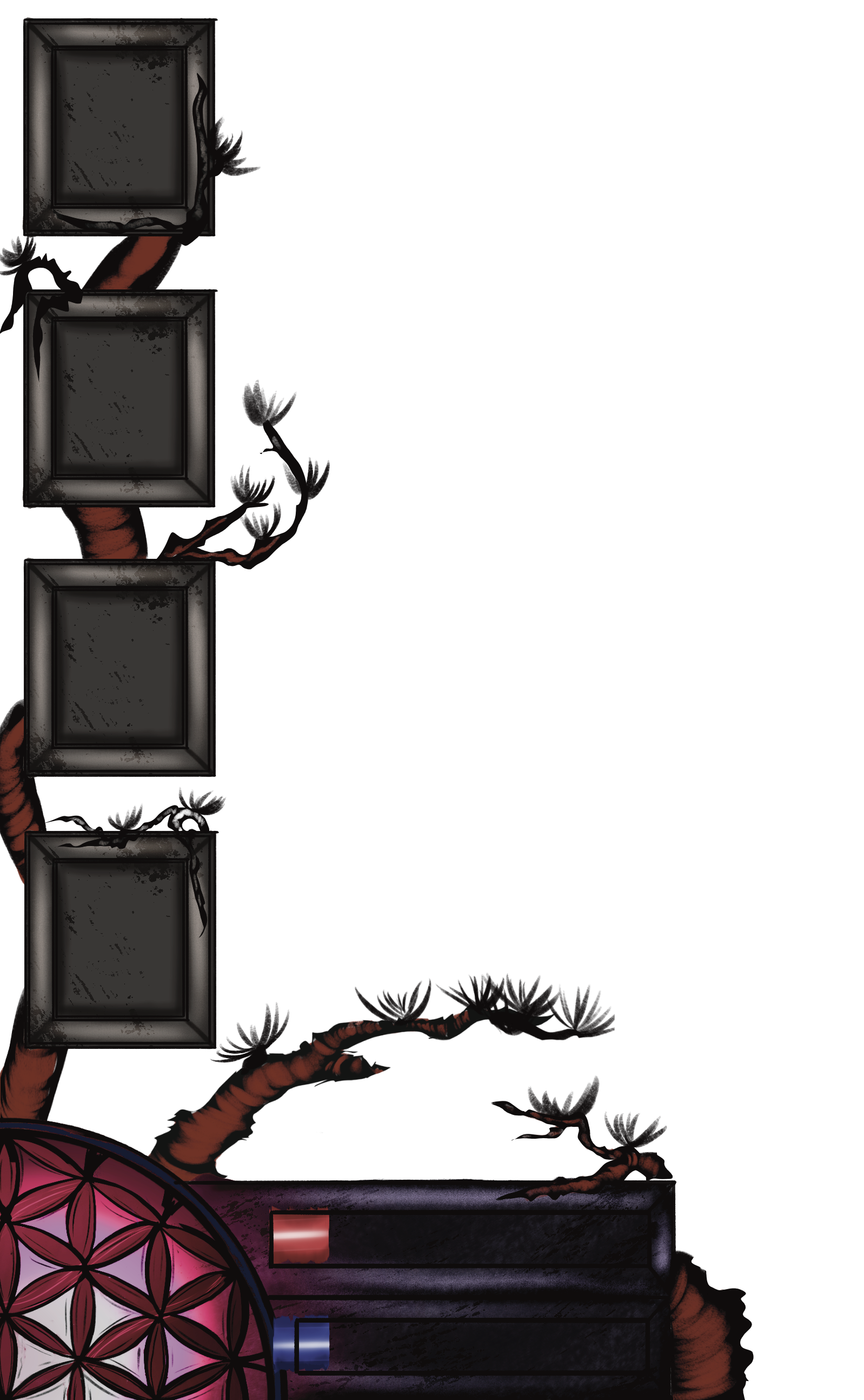
Also known as life-force, hit-points, health or simply just HP, this Red attribute bar is a game mechanic that is a measure of your health and how much damage you can take before falling in combat. It decreases as you take damage, and you die when it reaches 0. You can regenerate it through various means, and it also proves as a visual represented for various Status Aliments or Buffs, such as slowly draining when Purple (poison)
Stamina Gauge
This Green attribute bar represents your current stamina. When it reaches zero, you won’t be able to perform any further actions that consume stamina such as running or heavy-attacks. However unlike mana, stamina automatically regenerates as time passes.
Mana Gauge
This Blue attribute bar represents your current mana. Mana is a resource consumed by the player upon the use of magical weapons. Magic weapons have a specific mana cost that depletes the player's mana upon use.
All spells within Gambit require the usage of Mana or Magicka in order to be produced, however each one has its limit to how much is used on a singular spell. Spells cannot be casted until a sufficient total is reached again.
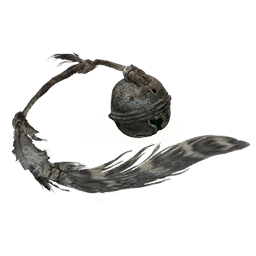
In Gambit, Shaman Bells, offer divine protection in the form of Mana increasement upon discovery. Each one grants the player between 5-10-15-25-50 additional Mana points depending on size and rarity. Ready-made potions and elixirs found as loot or purchased from vendors provide set magical values in terms of the restoration of Magicka: 25-50-75-100. Mana capacity can be increased further through the use of various armors, items and accessories. These accessories can be worn to instantly gain more Magicka, however this is not a permanent increase as the total mana will drop once the items are removed or the effect has ended.
Flower of Life
The Flower of Life is an aesthetic visual located directly next to the Attribute Bars. The geometric "Flower of Life" pattern (made up of 19 overlapping circles), is an ancient and universally sacred geometry symbol found in ancient cultures worldwide, believed to represent the blueprint of creation and the fundamental interconnectedness of all living things.
Within Gambit, this Symbol serves as an aesthetic piece. When displayed, the flower acts as an additional representation of the player's health bar. The more green the flower of life is, the more health you have. Red with a slow pulse means low, and grey is dead. The player can choose to turn this off in the Official Settings. In addition, if the player wants to completely get rid of the flower they can as well, and the Attribute HUD will be replaced with 3 normal bars and the Quick Select boxes.
Minimap
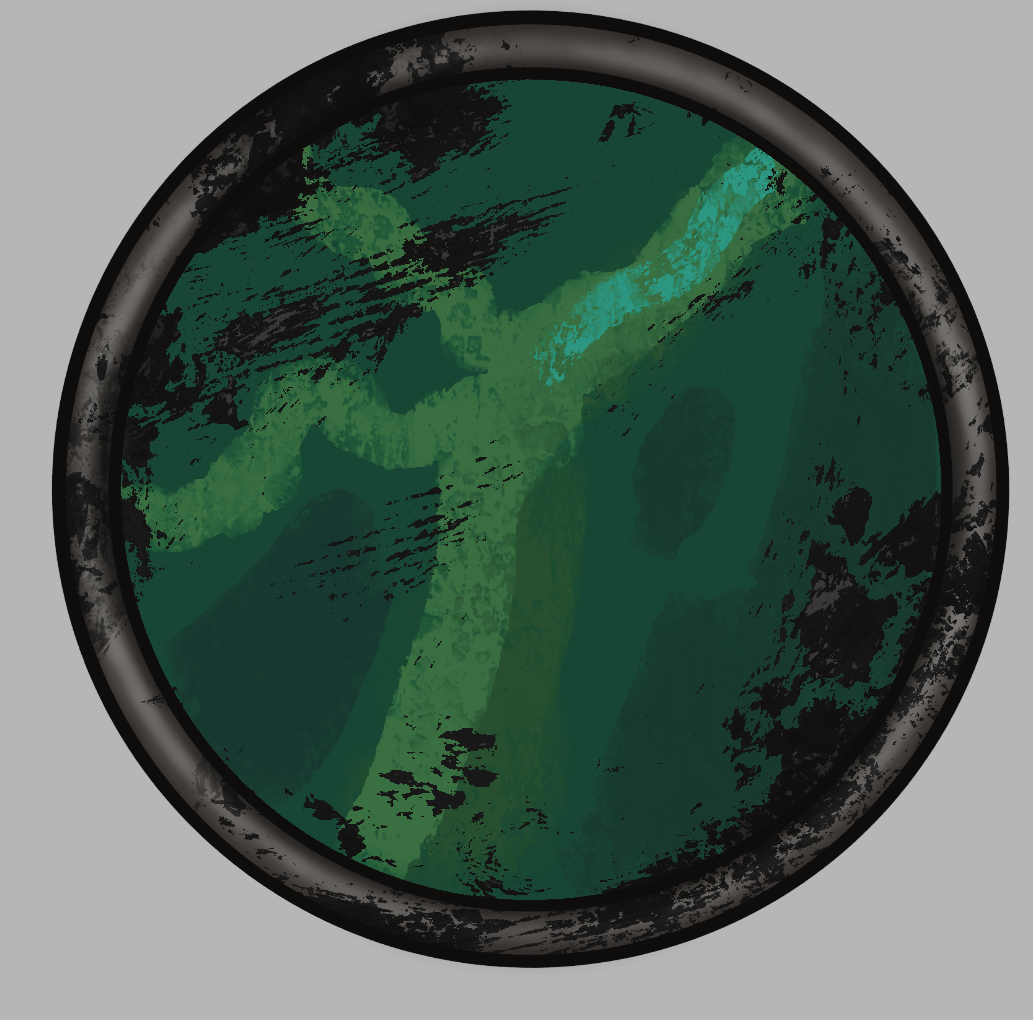
The minimap is a scale-size live overview of the world around the character. By default, it is displayed in a circle frame in the upper-right corner of the screen, however the shape can be changed to Square in the game settings. The minimap is controllable in-game, compatible with keyboard/mouse and gamepads. When selecting the Minimap, a larger map known as the World Map will open. When you enter a new region, the map will be completely covered in fog. To reveal it, you will need to find Map Fragments or specific Points of Interest which will allow you to generate the region on your map. As you progress the game, the Minimap will unlock Cave Mode, a secondary layering of the minimap that will adjust to underground locations without the player having to go in them.
Coin Counter
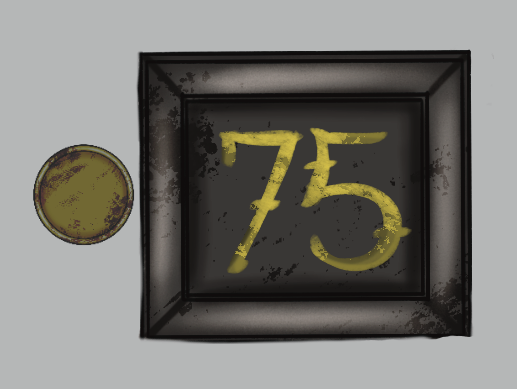
Self-explanatory, Coins are the main unit of currency in Gambit. They are primarily used for NPC transactions, but may find some exciting additional uses as you explore. Note: Coins in the Underworld are also not officially named. Simply known as Coins, they typically do not have a special title associated with them. However despite this, they are unofficially named, with many Demon Merchants referring to them as Grains, in reference and as a callback to how the economy in the Underworld had once relied on rice and cloth as the standard mediums of exchange rather than metal coins.
Quick-Select
The hotbar, or quick-select, is a selection bar that appears on the left of the screen. It is where the player stores and selects commonly used items from their inventory with better ease.
Boss Bar
The Boss Bar is a bar located at the bottom of the screen that can track the health of a boss mob or the total health of raid mobs. When a player is within the range of a boss or mini-boss, a red health bar will appear on their screen that represents the boss' total remaining health. This Boss Bar is usually the first sign that a normal looking enemy is anything but. The boss health bar also has a togglable option that enables a numeric display for boss health called "Boss Health Bar Numbers" in the settings. The maximum and remaining health of the boss will be shown on the bar when the option is on. There is also the added option to completely turn off the bar, allowing players the ability to fight with no awareness of the total amount of health a boss has.
Toggleable Option's:
Layout Display Toggleability
Please note that was starting a new game, that all settings are set to Default
Highlight New Items
On determines whether a newly picked-up item is highlighted in the inventory. The highlight disappears when the cursor is hovered over a highlighted item or the inventory is closed. This aids in quickly locating newly acquired items, or telling old one's apart from newly discovered ones.
Minimap Border (Default-Stone-Life Tree-Colored (selectable)
Changes the Boarder of the Minimap. This is for cosmetic purposes only, and will not affect the minimap's function.
Map Scale
Adjusts the minimap's size at the top-right corner.
Boss Health Bar Numbers
When on, displays the current and total health of a boss on its boss health bar in a numerical font.
Grime (On-Off)
Gives the screen of the minimap a dirt covered look. This is for cosmetic purposes only, and will not affect the minimap's function.
Shape (Square-Round)
Changes the outline shape of Minimap
Map (On-Off)
The minimap can be enabled or disabled. Disabling the minimap can provide a performance boost on old hardware or give a more thorough sense of survival such as turning off the entire HUD.
UI (On-Off)
Turns off complete UI; hides bars, coins, minimap. Used by players for the collection of screenshots
Flower of Life (On-Off)
Turns off the Flower of Life aesthetic on the health and inventory. Doing so turns off the Flower Health Indication Pulse, instead replacing the Attribute HUD with 3 normal bars and the Quick Select boxes.


Comments